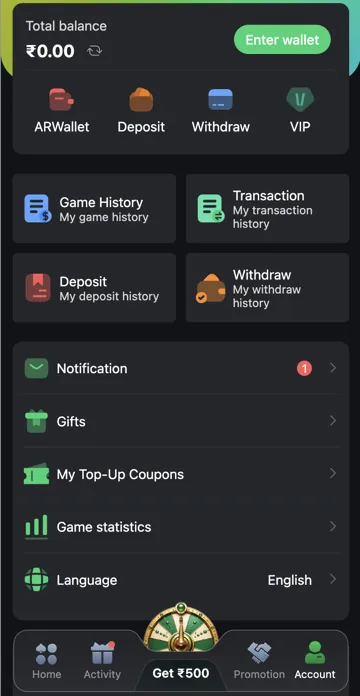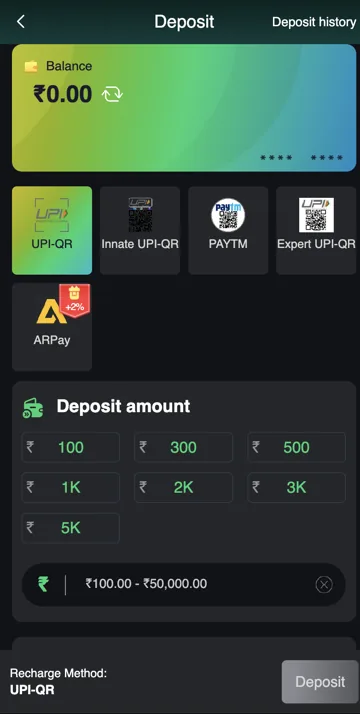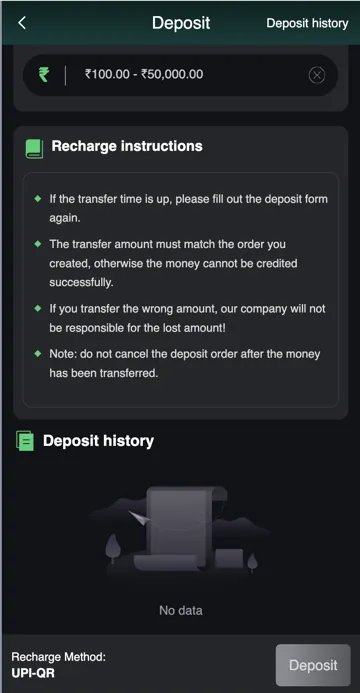
Check a pending deposit
Open Deposit History and compare the amount, time and reference with your bank or payment app. A bank debit and a credited gaming balance are separate parts of the transaction.
Contact support with the reference
If the time stated for that payment has passed, report the reference, amount and status through the platform’s support option. Keep personal details masked where possible. Do not send a second payment just to test whether the balance updates.
Identify which record is pending
Start with the bank or payment-app status and the Deposit history status. The bank can show failed, pending or completed while the gaming order has a separate state. Note both rather than describing every delay as a failed deposit.
Record the amount, time and payment reference. Check that you are looking at the same order and the same account. If the account has several recharge attempts, match the exact reference instead of relying on the most recent amount.
Amount mismatch, expired request or no credit
The recharge instructions require the paid amount to match the order and advise against cancelling after a transfer. If you paid the wrong amount or paid against an expired request, tell support exactly what happened. Do not create another payment to hide the mismatch.
If the payment app still says pending, a new gaming order will not settle that bank transaction. Check the payment provider’s own status and keep its reference alongside the deposit order information.
A useful message for a missing deposit
Write a short message: “My deposit order [reference] for [amount] was created at [time]. My payment app shows [status], but Deposit history shows [status]. Please check this order.” Add the payment reference through the verified support route if requested.
Replace the brackets with your own details and keep private fields masked. Never send your UPI PIN, login password or OTP. There is no fixed resolution time promised on this website.
Related account help
Need more help?
Read the related articles below for more Veer Game account help. For a website correction, email trendzcollab08@gmail.com with the page address and a short explanation. Do not include passwords, verification codes or bank details.
External account access
These buttons open the external platform. Trendz Collab does not manage your account.

Written by Vacky
Vacky is a Trendz Collab writer with 10 years of content-writing experience. His topics include Veer Game login, registration, the app and game categories. Read our editorial approach.