Veer Game app access
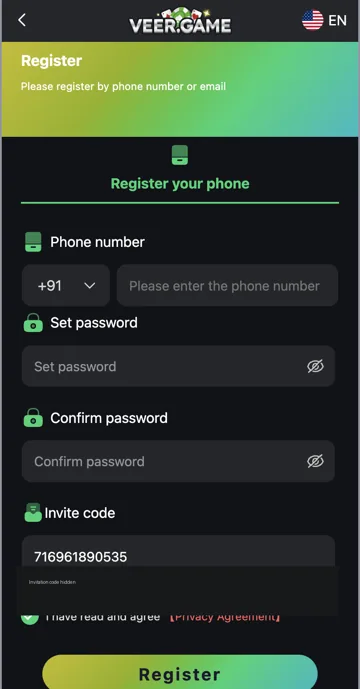
Veer Game account pages can be opened in a browser. Login is for an existing account, while Register creates a new one. A home-screen shortcut may open the website rather than install an Android app.
Android app and APK
An APK is an Android installation package. Before installing one, check its source, developer, permissions and device requirements. This website does not host an APK or confirm a latest app version.
Login and account help
Use the phone or email option linked to your account. If you forget the password, choose Forgot Password from Login. For a loading or installation issue, keep the exact error and device details before contacting account support.
App, website and shortcut
A browser page, a home-screen shortcut and an Android APK are different ways of opening or installing software. A shortcut may use the same browser even when it appears beside installed apps. An APK installs an Android package and may ask for permissions.
Before following an app instruction, identify which one you have. If it opens with browser controls and a web address, browser troubleshooting is relevant. If Android displays an installation error, package and device compatibility are the relevant checks.
Account access stays separate from installation
Installing an app does not create a Veer Game account. New users use Register, while existing users use Login with the details linked to their account. A password reset changes account access; it is not an app update.
Keep the registered phone number or email available before replacing an installation. An app shortcut disappearing from a phone does not necessarily mean the external account was deleted.
What to check before an Android installation
Check the download source, developer or package identifier, supported Android version and requested permissions. A similar app-store name is not enough to identify the same service. No APK file or verified latest version is provided by this website.
If your phone blocks the package, read the warning rather than switching protection off. Use the APK information page for source checks and the installation-error article for common Android issues.
Which account features are covered here
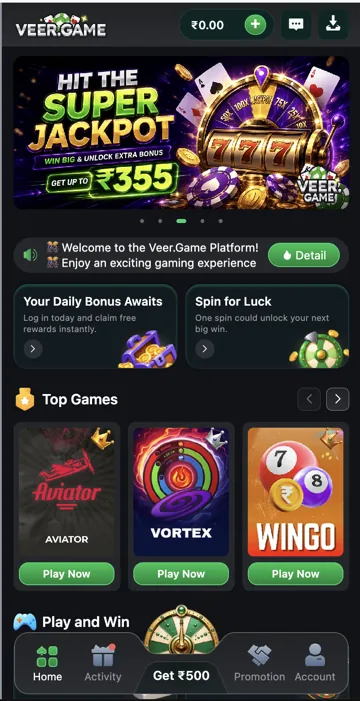
The account menu brings together balance information, Deposit, Withdraw, VIP, game and transaction records, Gifts, coupons and Language. Login and registration help covers the entry forms. Gift-code help explains Receive and History.
For a payment issue, use the relevant deposit or withdrawal record rather than reinstalling as the first step. Reinstalling software cannot by itself reconcile an external payment record.
Choose the right type of help
| Problem | Start here |
|---|---|
| Cannot sign in | Login or Forgot password. |
| Installer fails | Android installation and device requirements. |
| Web page does not load | Browser and connection checks. |
| Deposit or withdrawal mismatch | The matching payment-history record. |
| Gift reward missing | Gifts History and the reward type. |
Related account help
Need more help?
Read the related articles below for more Veer Game account help. For a website correction, email trendzcollab08@gmail.com with the page address and a short explanation. Do not include passwords, verification codes or bank details.
External account access
These buttons open the external platform. Trendz Collab does not manage your account.

Written by Vacky
Vacky is a Trendz Collab writer with 10 years of content-writing experience. His topics include Veer Game login, registration, the app and game categories. Read our editorial approach.