Reset Veer Game access
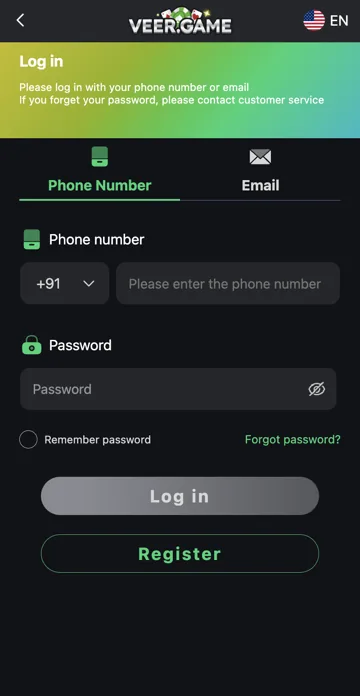
Choose Forgot Password on the login page. Enter the registered contact details and follow the verification steps shown. Set a unique new password when prompted, then return to Login.
Protect the reset code
Keep any verification code private. If you no longer control the registered phone or email, use the platform’s recovery support route. Do not pay a stranger who promises to unlock an account or request remote access to your phone.
Phone Reset fields
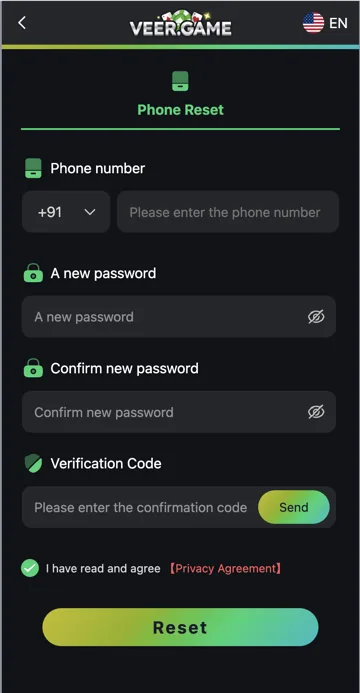
Forgot password leads to a Phone Reset form with Phone number, A new password, Confirm new password and Verification Code. The phone entry includes a country-code selector. Use the number registered to the account rather than a replacement contact that has never been linked.
The two password fields must agree. The eye icons can help check typing privately. Avoid using the verification code itself as the new password; the code and password serve different purposes.
Send, verification and Reset
Use Send beside Verification Code to request the account verification message. Enter the code in its field and review the Privacy Agreement control before deciding to continue. Submit Reset after checking the registered number and matching passwords.
If several codes were requested, follow the current page’s validity instructions and use the latest valid one. Do not give the code to another person. Return to Login after a successful reset and update any old saved password.
If you no longer have the registered phone
A reset form cannot prove control of a phone you no longer receive messages on. Use the platform’s established account-recovery support route and explain the lost-contact problem. Do not open another account expecting its contact details to recover the first one.
Keep a masked account identifier and the error message ready. Share identity documents only through a support process you have independently established, if required. Trendz Collab does not receive or verify player identity documents.
Step-by-step
- Open Forgot password from Login.
- Check the registered number and country code in Phone Reset.
- Enter and confirm the new password.
- Request the verification code with Send and enter it privately.
- Review the agreement and choose Reset if you intend to proceed.
- Return to Login with the new password.
Related account help
Need more help?
Read the related articles below for more Veer Game account help. For a website correction, email trendzcollab08@gmail.com with the page address and a short explanation. Do not include passwords, verification codes or bank details.
External account access
These buttons open the external platform. Trendz Collab does not manage your account.

Written by Vacky
Vacky is a Trendz Collab writer with 10 years of content-writing experience. His topics include Veer Game login, registration, the app and game categories. Read our editorial approach.