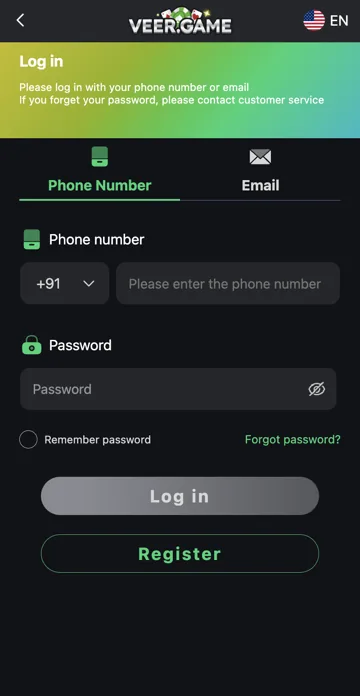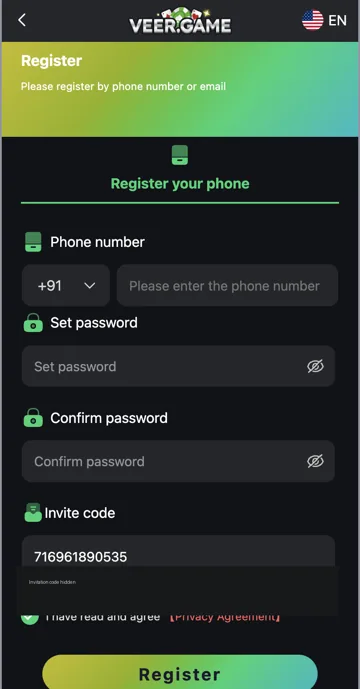
Check the sign-up form
Check the country code, phone number and both password entries. Read the exact error beside the form. An already-registered message may mean you need to sign in to an existing account.
When the error continues
Avoid repeatedly submitting the same details. Keep the error message and identify which field is affected. Use the platform’s account support option for restrictions you cannot resolve. Do not send your password or verification code to another person.
Password mismatch and number format
Compare Set password with Confirm password using the visibility icons privately. Check for spaces added by copy and paste. In the phone field, review the country code separately from the number. Follow the field’s validation message instead of repeatedly changing several details together.
Agreement and invitation fields
Review the Privacy Agreement control and Invite code before submission. A validation error on a required field should be resolved at that field. A gift code belongs in Gifts after login; it is not a replacement for an invitation code. Do not change another person’s number to get past an existing-account message.
Related account help
Need more help?
Read the related articles below for more Veer Game account help. For a website correction, email trendzcollab08@gmail.com with the page address and a short explanation. Do not include passwords, verification codes or bank details.
External account access
These buttons open the external platform. Trendz Collab does not manage your account.

Written by Vacky
Vacky is a Trendz Collab writer with 10 years of content-writing experience. His topics include Veer Game login, registration, the app and game categories. Read our editorial approach.