Check where the code is sent
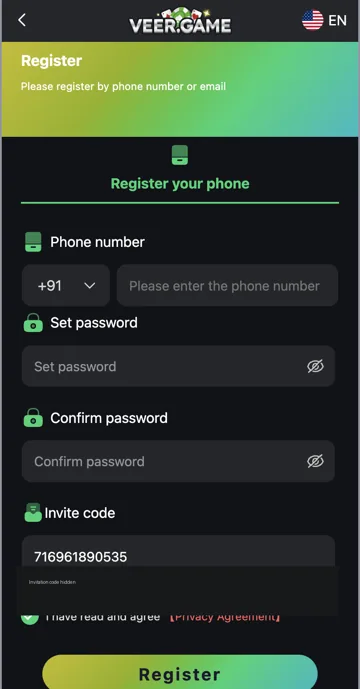
Confirm the registered phone number or email before requesting another code. Check mobile reception and message filtering. If email verification is offered, check the spam folder as well as the inbox.
Resend carefully
Follow the resend timer and use the newest valid code. Several requests close together can make it unclear which code is current. If messages still do not arrive, contact account support with the problem and time of the attempt. Keep the code private.
Check the reset route
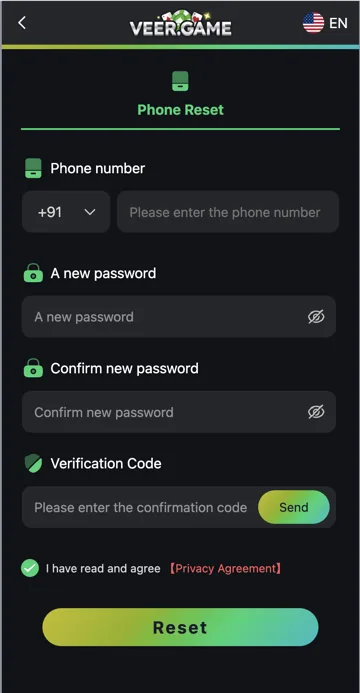
Phone Reset has a Verification Code field and Send control. Confirm the registered number and country code before using Send. A code requested for a different account or contact will not verify the intended reset. Keep the reset page open while checking the message.
A code is not a password
The verification code proves control for a specific action; the new password is entered in separate fields. Do not put the new password into a message to support or give the verification code to an agent. If a code expires, follow the form’s resend instructions rather than reusing it indefinitely.
Related account help
Need more help?
Read the related articles below for more Veer Game account help. For a website correction, email trendzcollab08@gmail.com with the page address and a short explanation. Do not include passwords, verification codes or bank details.
External account access
These buttons open the external platform. Trendz Collab does not manage your account.

Written by Vacky
Vacky is a Trendz Collab writer with 10 years of content-writing experience. His topics include Veer Game login, registration, the app and game categories. Read our editorial approach.